Financials Overview and Transaction History
Read your revenue summary cards and browse the full transaction history.
Financials is where all the money lives — revenue, ledgers, expenses, and reports — split across six tabs: Overview, Tenant Ledger, Property Ledger, Expenses, P&L, and Tenant Value. This article covers the Overview tab, which is the default landing view.
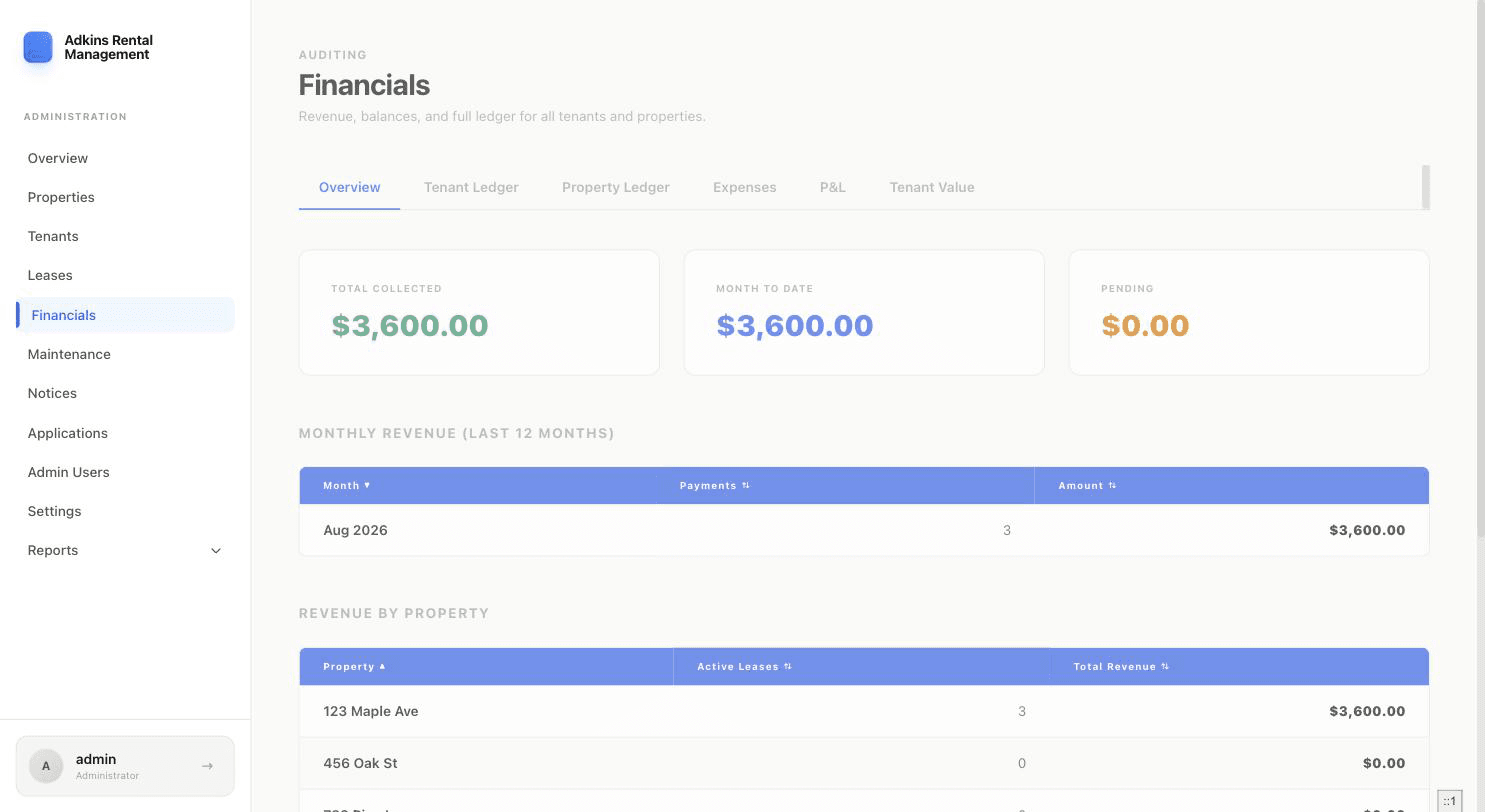
Summary cards
- Total Collected — all-time revenue collected.
- Month to Date — revenue collected so far this calendar month.
- Pending — payments recorded but not yet marked complete.
Monthly Revenue and Revenue by Property
Two sortable tables: revenue for each of the last 12 months (with payment count), and revenue broken down by property with active lease counts — useful for spotting which property is actually earning its keep.
All Transactions
A paginated, sortable log of every transaction — date, tenant and description, amount, method, and a status dot (solid green for completed, a pulsing amber dot for pending).