Managing Maintenance Requests
Create, filter, prioritize, and close out maintenance requests.
Every maintenance request across your portfolio lands in one queue, whether it was submitted by a tenant, or logged by you on their behalf.
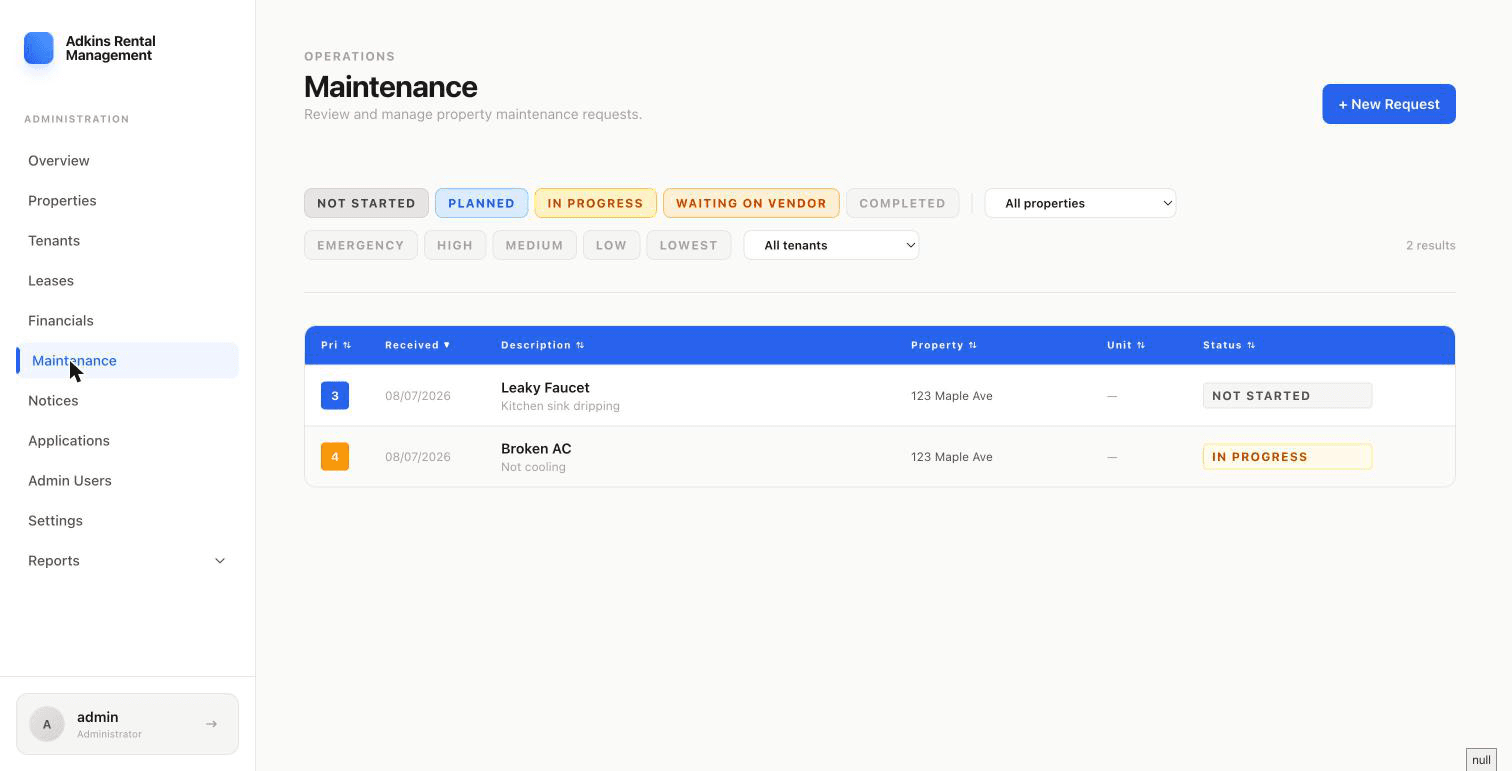
Filtering the queue
Combine status chips (Not Started, Planned, In Progress, Waiting on Vendor, Completed — Completed is excluded by default), a property and unit filter, priority chips (Emergency, High, Medium, Low, Lowest), and a tenant filter. A "Reset" link appears once you've changed anything, to snap back to the default view.
Status and priority, at a glance
Status is editable right in the table — click the colored dropdown on any row to move it along (gray → blue → amber → orange → green) without opening a modal. Priority follows a fixed order: Emergency, High, Medium/Normal, Low, Lowest.
Creating a request
- 1Click + New RequestChoose the Property, then optionally a Unit.
- 2Describe the issueTitle and Description are required. Set a Priority (defaults to Medium).
- 3Log who requested itChoose Tenant, Owner (Me), Property Manager, Vendor, or Other. If Tenant, pick from that property's tenants; otherwise, type a name.
- 4Add cost estimate and vendor (optional)Est. Cost and a Vendor/Contractor name, if you already know them.
Closing one out
Click a row to open the Edit Request modal — update status, priority, actual cost, vendor, and upload a receipt image or notes. If you enter an Actual Cost, RentSystems records it as an expense automatically and asks whether you'd like to amortize it across multiple months.