Posting Notices to Tenants
Send an announcement to every tenant or target a single one.
Notices are announcements — parking lot maintenance, a policy change, a heads-up about a water shutoff — that show up in your tenants' portals.
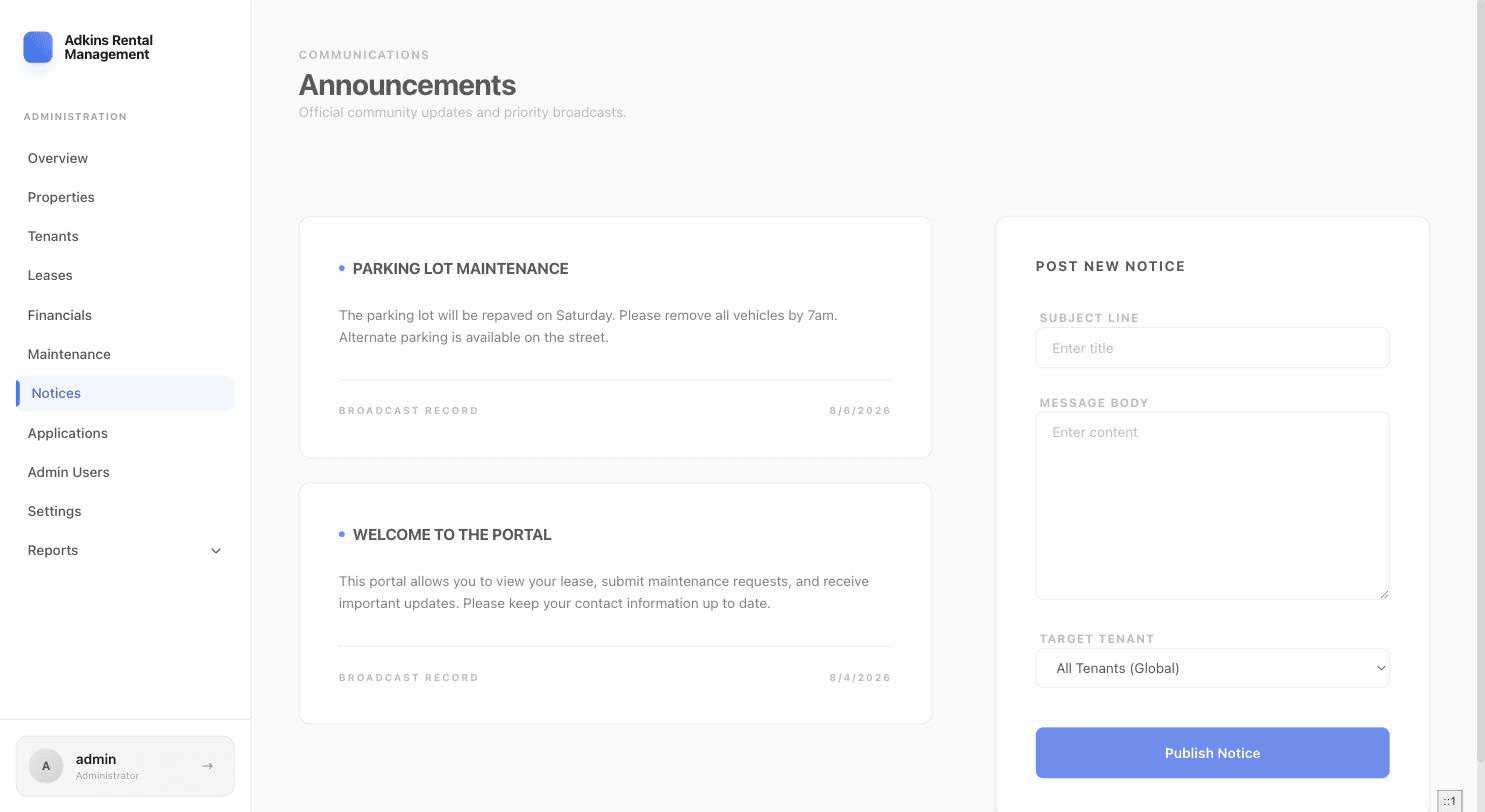
- 1Write the noticeFill in the Subject Line and Message Body on the right side of the Notices page.
- 2Choose who sees itTarget Tenant defaults to "All Tenants (Global)" — everyone with a portal login sees it. Pick a specific tenant instead if it only applies to them.
- 3PublishClick Publish Notice. It appears immediately at the top of the feed on the left, and on the recipient's Notices page.
More in Maintenance, Notices & Applications